One Assistant real actions.

Personal Agentic
AI Assistant

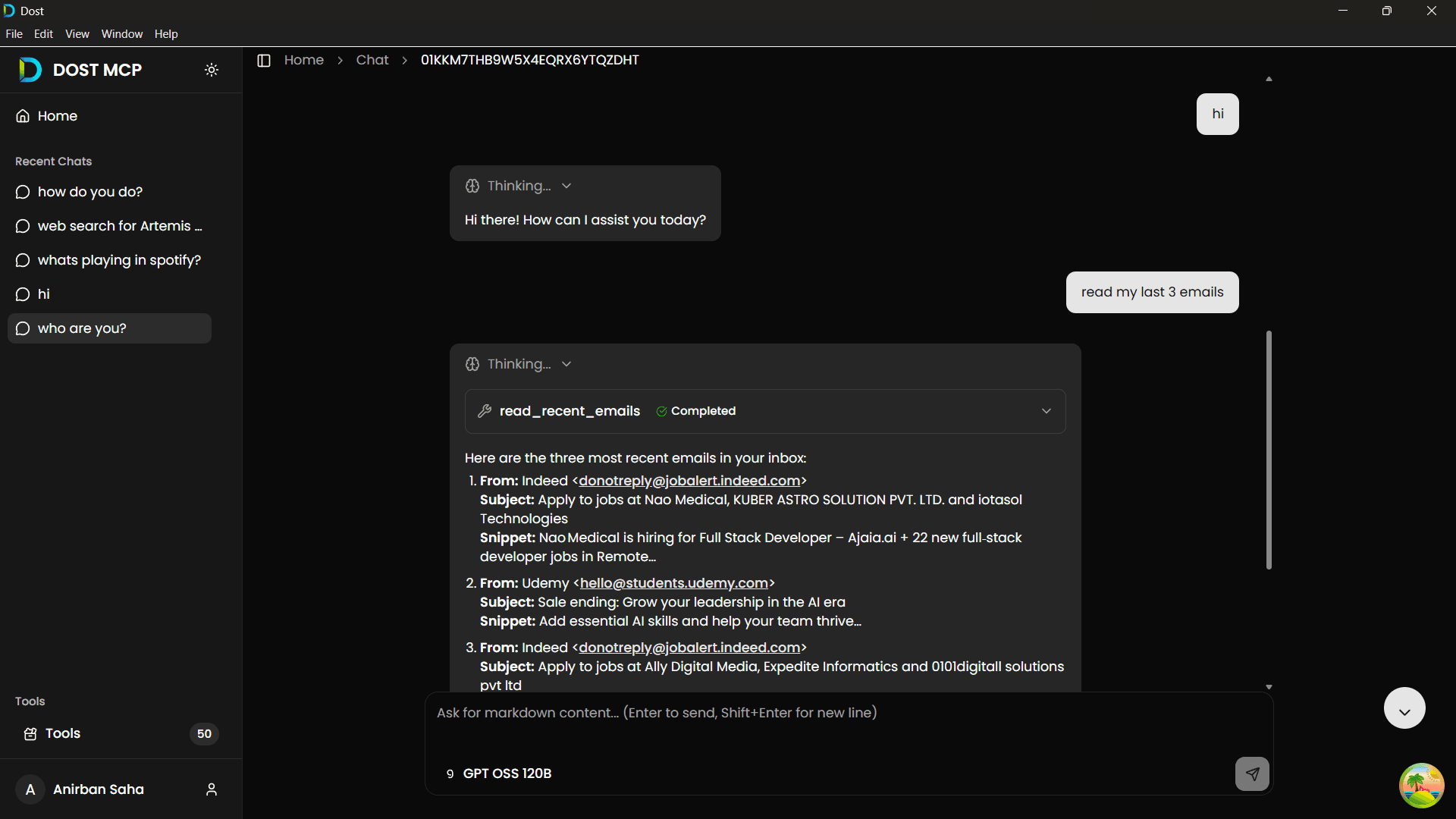
Most AI assistants are built for conversation. DOST is built for execution. Ask naturally, and DOST takes action across your Windows desktop and cloud tools.

Windows OS Only
GitHub
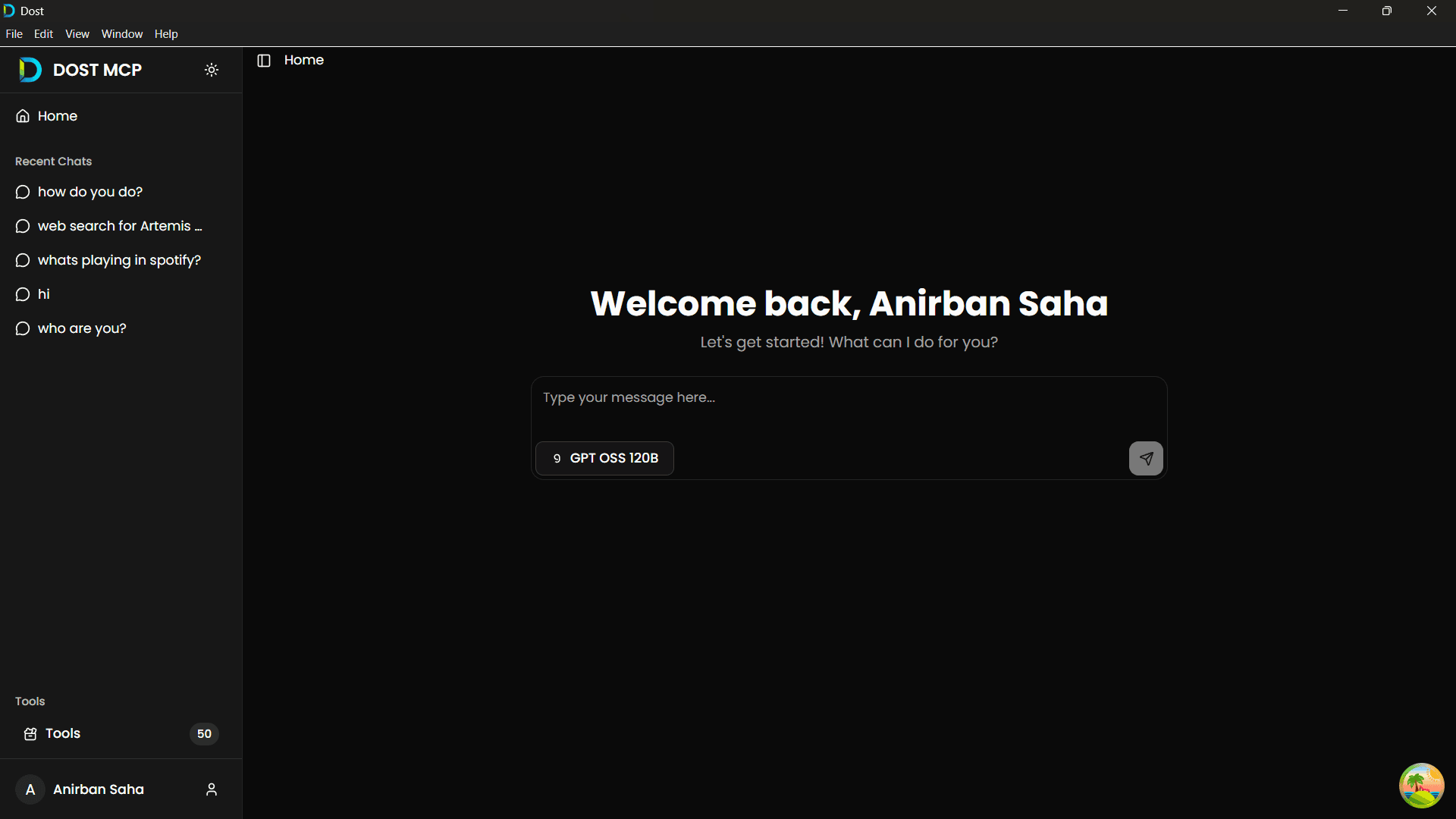
Intuitive Home Dashboard
Conversational Agent
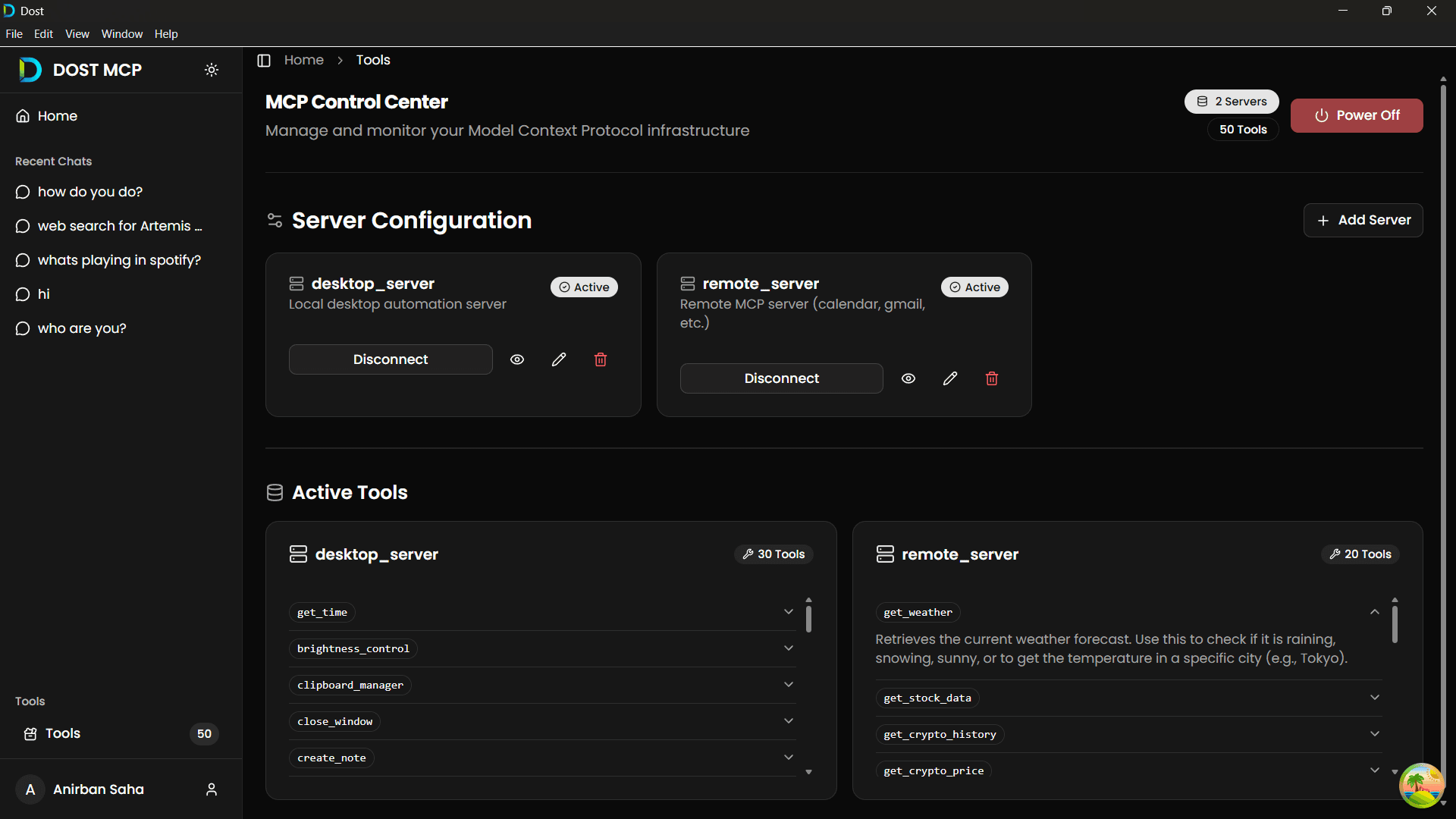
MCP Control Center
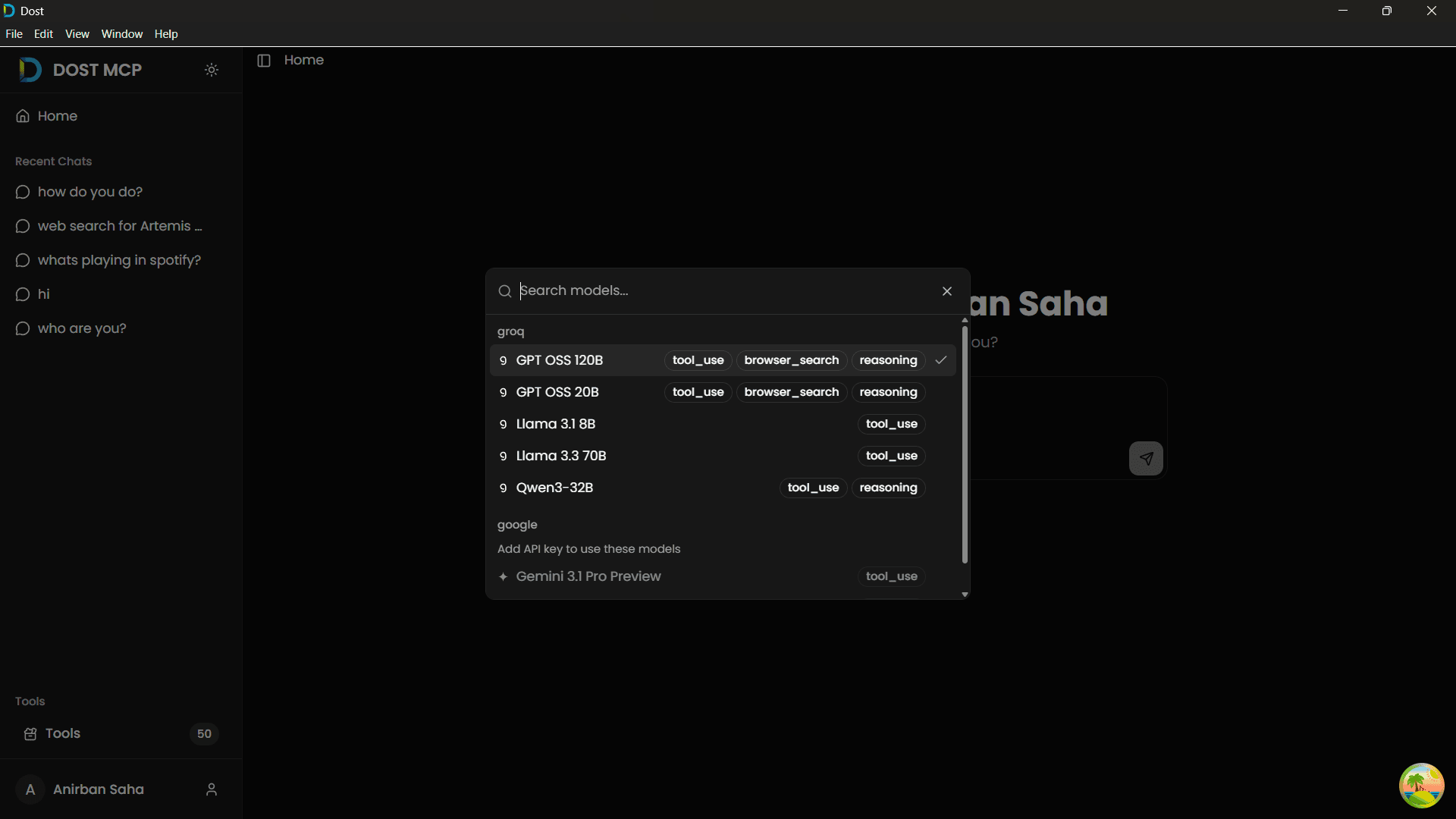
Dynamic Model Selection
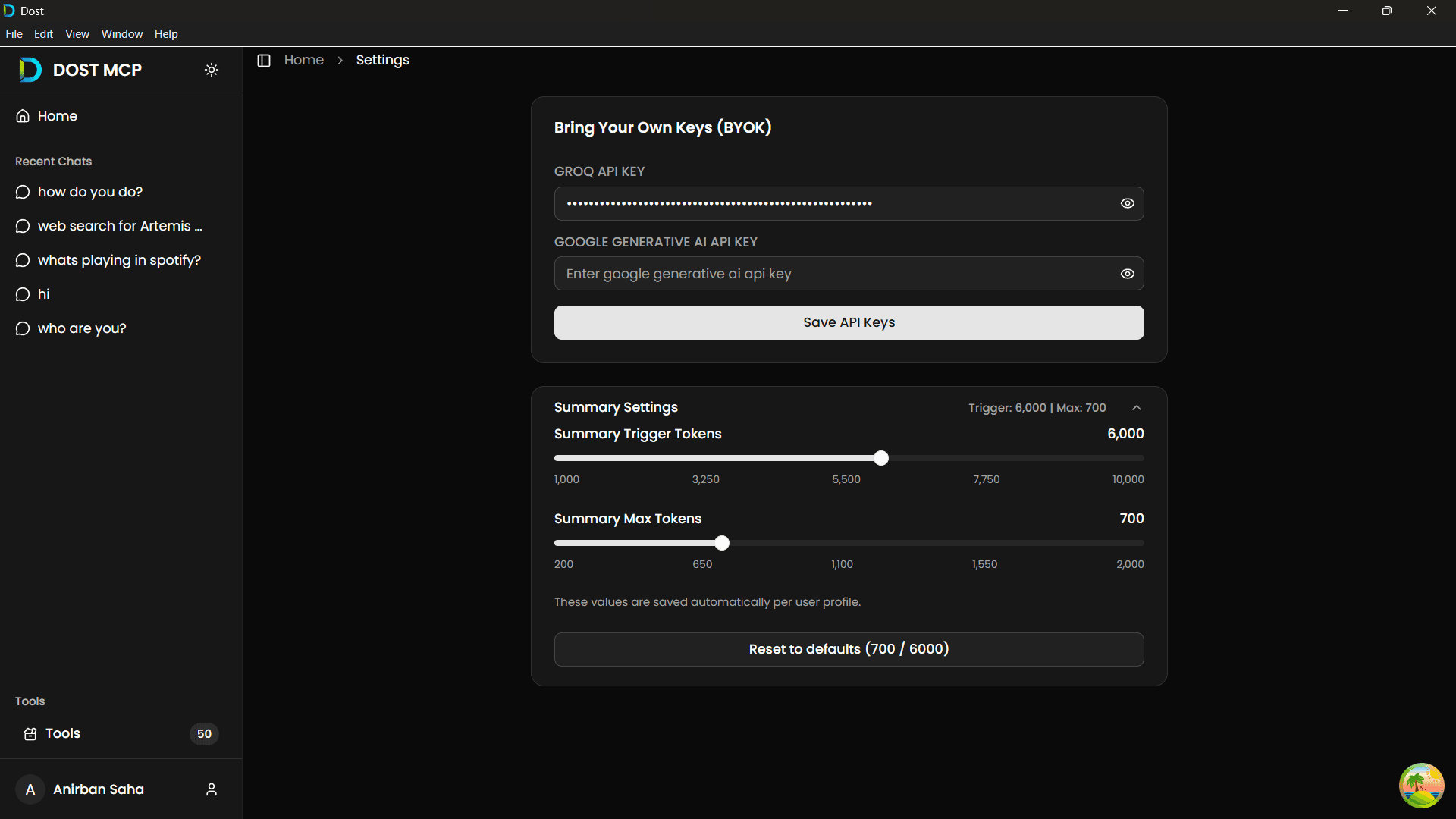
Bring Your Own Keys
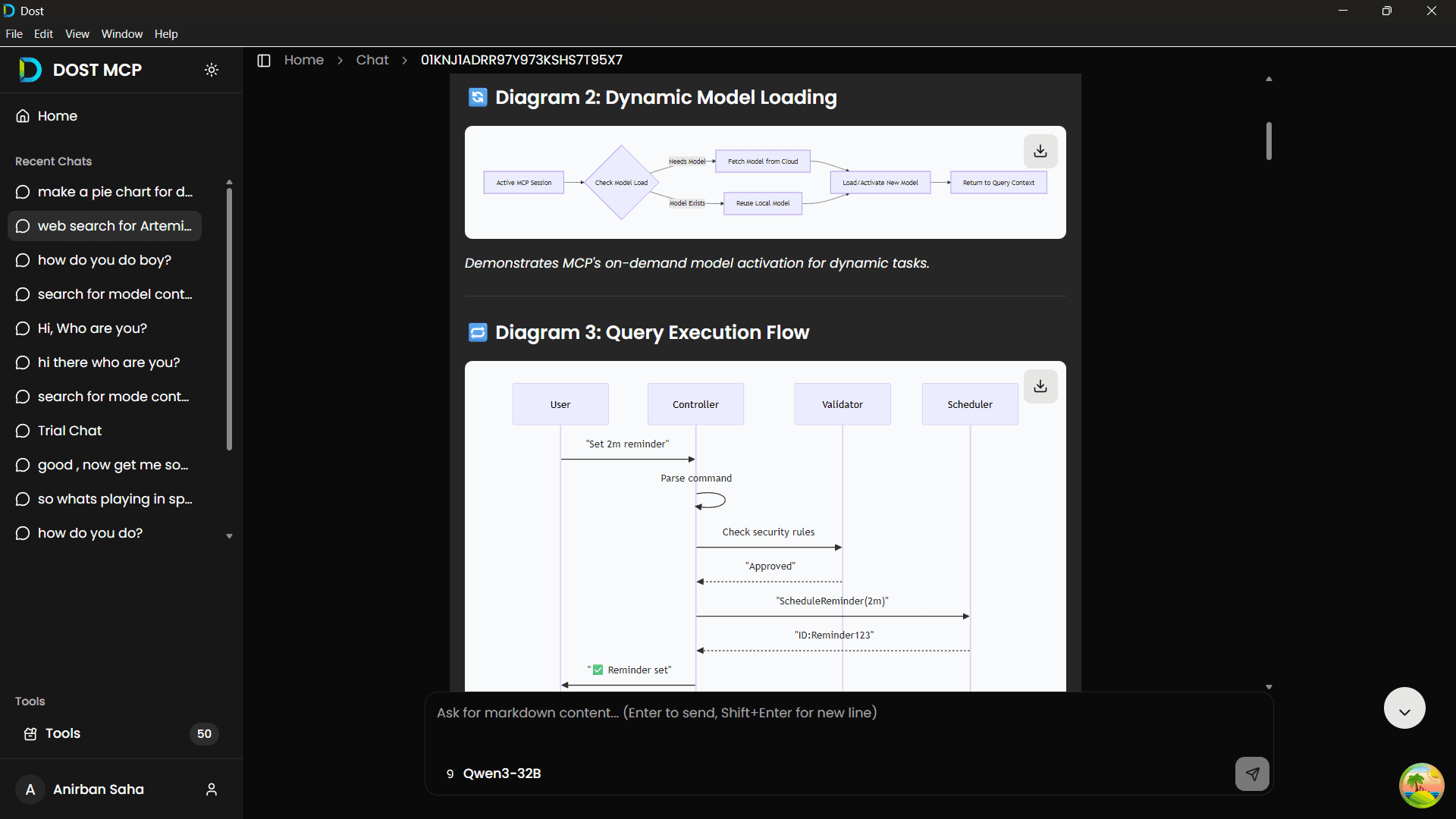
Mermaid Diagram Support
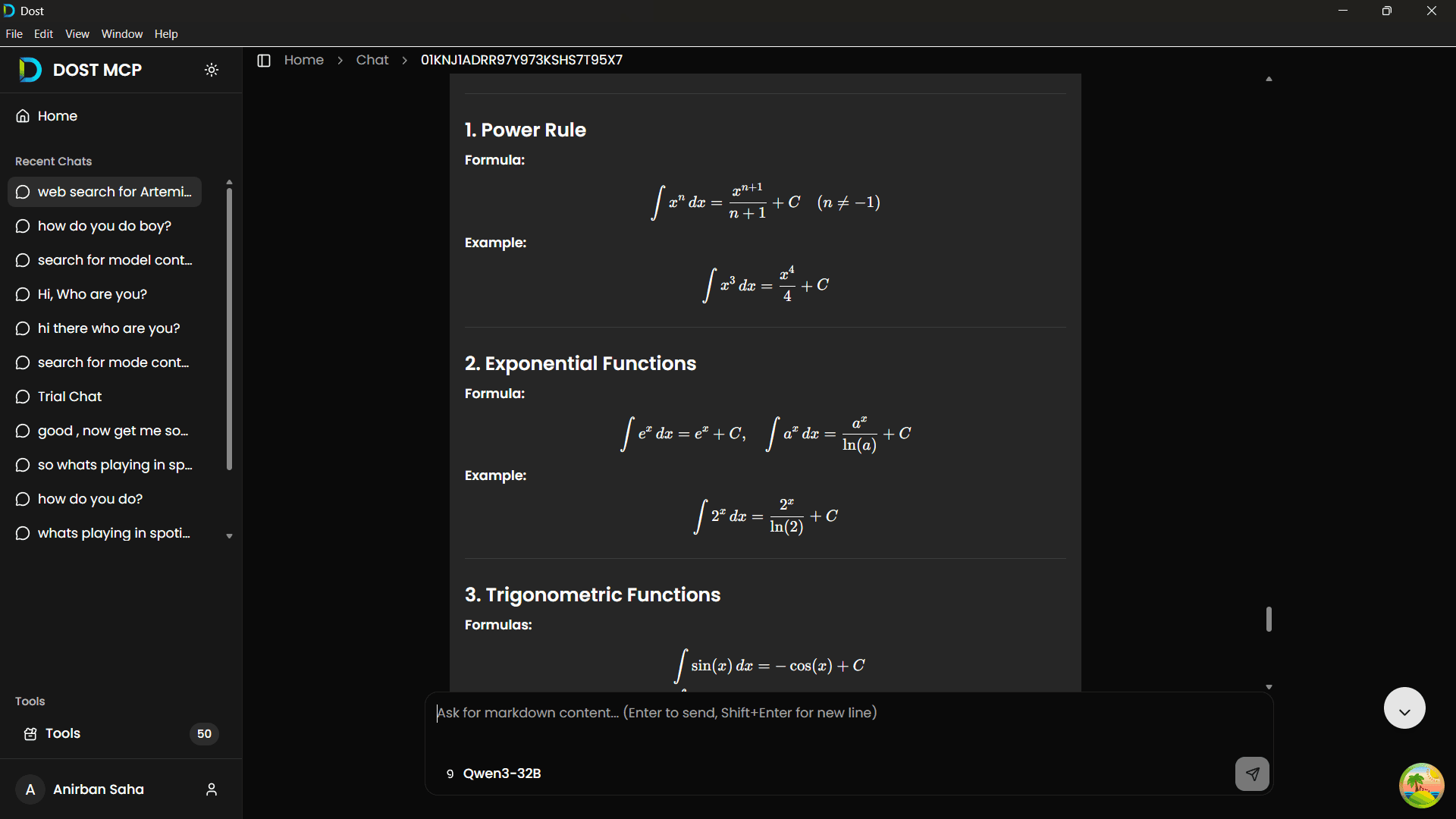
LaTeX Mathematical Support

Intuitive Home Dashboard

Get an overview of your assistant's system status, active providers, and quick actions in a clean, modern layout.

Capabilities in Action

Dost communicates natively with your system APIs and online cloud services.

Desktop Automation

Control windows, volume & local apps

Google Calendar Sync

Read and create meetings directly

Spotify Playback

Play music, skip tracks, switch devices

Live Stock Prices

Get real-time market data instantly

System Controls

Adjust audio volume & screen brightness

Live Weather

Check current conditions & forecast

Desktop Automation

Control windows, volume & local apps

Google Calendar Sync

Read and create meetings directly

Spotify Playback

Play music, skip tracks, switch devices

Live Stock Prices

Get real-time market data instantly

System Controls

Adjust audio volume & screen brightness

Live Weather

Check current conditions & forecast

Desktop Automation

Control windows, volume & local apps

Google Calendar Sync

Read and create meetings directly

Spotify Playback

Play music, skip tracks, switch devices

Live Stock Prices

Get real-time market data instantly

System Controls

Adjust audio volume & screen brightness

Live Weather

Check current conditions & forecast

Desktop Automation

Control windows, volume & local apps

Google Calendar Sync

Read and create meetings directly

Spotify Playback

Play music, skip tracks, switch devices

Live Stock Prices

Get real-time market data instantly

System Controls

Adjust audio volume & screen brightness

Live Weather

Check current conditions & forecast

Terminal Execution

Run background scripts natively

Send Emails

Draft and send via Google Workspace

Window Management

Organize open applications

Crypto Trends

Fetch live token prices & trends

Tool Selection

Semantic search picks the right tool

And Many More...

Limitless extensibility with MCP

Terminal Execution

Run background scripts natively

Send Emails

Draft and send via Google Workspace

Window Management

Organize open applications

Crypto Trends

Fetch live token prices & trends

Tool Selection

Semantic search picks the right tool

And Many More...

Limitless extensibility with MCP

Terminal Execution

Run background scripts natively

Send Emails

Draft and send via Google Workspace

Window Management

Organize open applications

Crypto Trends

Fetch live token prices & trends

Tool Selection

Semantic search picks the right tool

And Many More...

Limitless extensibility with MCP

Terminal Execution

Run background scripts natively

Send Emails

Draft and send via Google Workspace

Window Management

Organize open applications

Crypto Trends

Fetch live token prices & trends

Tool Selection

Semantic search picks the right tool

And Many More...

Limitless extensibility with MCP

Demo

DOST in Action

Watch how DOST connects your custom workflows, system APIs, and external cloud accounts into a unified, secure execution loop.

Execute local system scripts and binaries
Automate Chrome, media playback, and volume control
Secure authentication handling via remote server
Setup Guide

Getting Started

Need step-by-step instructions on environment variables, registry configuration, and client execution? Follow our detailed setup guide.

Architecture

Technical Specifications

Want to know about our hybrid fastMCP architecture, system context truncation filters, and secure stdio/HTTP message loops? Dive into our technical docs.

Efficiency & Optimization

Prevent Context Exhaustion
& Reduce Token Spend

Most agentic loops suffer from rapid token accumulation. Every step of reasoning, parameter validation, and tool output consumes context, leading to slow response times and eventual model crashes.

Dynamic Tool RAG

Exposing dozens of tool schemas at once bloats prompts and distracts models. DOST indexes all MCP tools locally using semantic vector embeddings and BM25 full-text search, injecting only the top 3-5 relevant schemas per turn.

Rolling Summarization

When conversation context crosses configured limits, older execution turns are automatically compressed into dense system summaries, preserving historical context while keeping current chat segments completely raw.

-93%Prompt Tool Bloat
StableContext Windows
-96%Cost Reduction
Loading chart data...
Anatomy of a Single Request Context
Visualizing token distribution inside the LLM prompt payload.
Unoptimized Agentic Loop120,000 tokens
DOST Bounded Loop4,500 tokens
System Prompt
1,000 tokens (fixed)
Tool Schemas
3 active vs. 50+ total
System Summary
Dense historical state
Slide Window
Last 2 turns raw
Raw Chat History
Unbounded history turns
Features

Built for Native Power & Customization

DOST features an extensible architecture powered by the open Model Context Protocol.

Desktop Productivity Server
Control your local environment directly from your LLM agent.

App Automation

Launch local binaries, web browsers, and focus tools.

Volume & Brightness

Direct OS control for system audio and display monitors.

System Utilities

Automated screenshots, note updates, and clipboard helper.

CLI Scripts

Run safe terminal commands and script automations natively.

Cloud Integration
Connect cloud accounts with a single prompt.
Workspace: Send Gmails & read Google Calendar.
Spotify playback: Switch tracks, pause, and play.
Live APIs: Fetch instant stock indices, crypto rates, and weather.
OAuth Security
Your keys, your credentials, fully secure.

DOST implements OAuth2 flow for all Google and Spotify endpoints. Token exchange happens on your secure Remote MCP Server. No third-party data collection.

OAuth state validation: verified
Model Context Protocol Standard
Plugs natively into any MCP server or client ecosystem.

Since DOST conforms to the open-source Model Context Protocol standard, you can hook the server infrastructure directly to other clients (like Cursor, Claude Desktop, or custom scripts). You can also add third-party MCP servers with zero custom code.

Workflows

One Request. Multiple Tools.

Dost semantic search maps complex commands to the exact tool needed.

01

Workspace Setup

"Open Chrome, open my notes app, and set volume to 30%."

02

Cloud Outreach

"Show my next meetings and email the first attendee."

03

Context Control

"Play focus music on Spotify and lower brightness."

04

Information Briefing

"Give me weather in Tokyo, Tesla stock, and USD to INR."

Interoperable

Built for All MCP Clients

Dost implements the standard JSON-RPC based Model Context Protocol connection layer. Use it with our visual electron frontend, or bind it directly to terminal clients.

DOST Electron Desktop Client
DOST Python-based CLI Companion
Claude Desktop and Cursor integration
Custom APIs and SSE/HTTP connectors

Connect Your Own Server

Adding custom servers is simple. Create any executable that communicates over standard input/output (stdio) or HTTP/SSE, and register it inside the configuration panel.

FAQ

Frequently Asked Questions

Your App. Your Model. Your Keys.

Completely open source. Choose your preferred AI provider, connect your servers, and run desktop workflows with full autonomy.